How Long Do Cordless Vacuum Batteries Last? UK Guide (2026)
Battery life is usually the first thing people check before buying a cordless vacuum, and the first thing they blame when it starts cutting out early. Sometimes the battery really is the problem. Just as often it’s something simpler, like a clogged filter or a machine that’s been left in Boost mode.
This guide explains how long a cordless vacuum runs on one charge, how long the battery stays useful, what wears it out faster and how to tell a tired battery from a maintenance problem. It also covers replacement costs and how to recycle an old battery safely in the UK. Brand-specific figures come from Dyson, Samsung and Shark’s own UK websites.
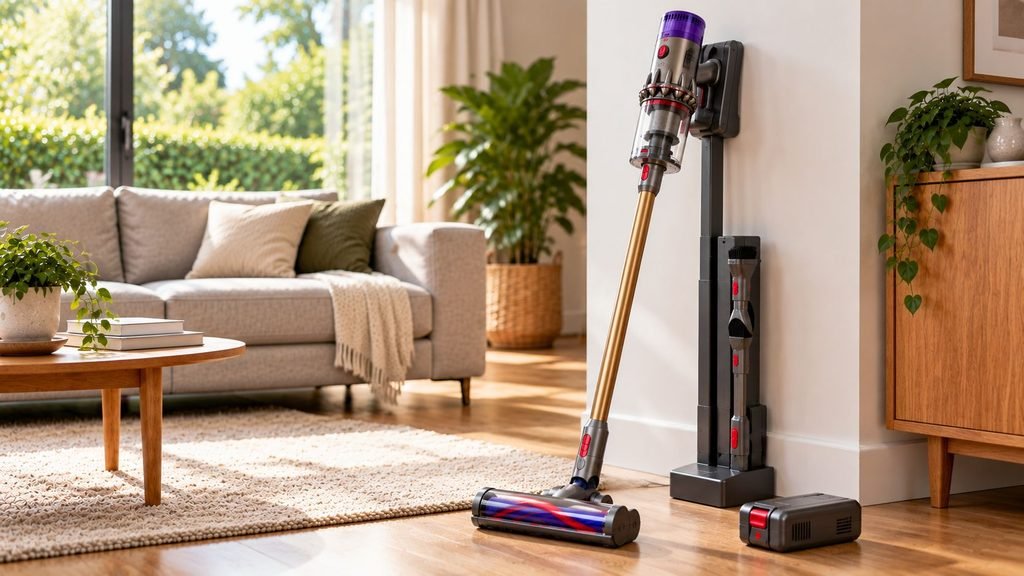
Quick answer: There’s no fixed number of years that applies to every cordless vacuum battery. Dyson says its battery life isn’t defined by a set number of years, and most brands don’t publish a lifespan at all. Lithium-ion batteries lose capacity gradually as they’re charged, discharged and exposed to heat. Samsung is one of the few brands to give a figure, saying selected Jet batteries keep 70% of their capacity after 500 or 600 full cycles, depending on the model. If your runtime has suddenly dropped, check the power mode, filters and airways before you buy a new battery.
Battery Lifespan and Runtime Are Not the Same Thing
When people ask how long a cordless vacuum battery lasts, they usually mean one of two things. The first is runtime, which is how many minutes the vacuum runs after a full charge. The second is lifespan, which is how long the battery stays useful before its capacity drops far enough to justify replacing it.
Those two numbers often get mixed up. A manufacturer might advertise a runtime of 60 or 70 minutes, but that figure describes one cleaning session under specific test conditions. It says nothing about how the battery will perform in three or four years’ time.
Long-term battery life is better thought of as gradual capacity loss. An older battery will usually still charge and run the vacuum, but each charge gives you a bit less cleaning time than it used to.
How Long Does a Cordless Vacuum Battery Last Before It Needs Replacing?
There’s no single figure like “three years” or “five years” that holds up across brands and households. People use their vacuums too differently, and manufacturers generally avoid promising a service life in years.
Samsung gives one of the clearer examples of how battery ageing can be measured. It says the batteries in the Jet 85S and Jet 95S keep 70% of their original performance for up to 600 cycles, while the Bespoke AI Jet Ultra is rated at 70% after 500 cycles. Samsung counts one cycle as a full discharge from 100% to 0% and says results vary with actual usage.
Keep in mind that these are Samsung’s own figures for specific models. Other brands may not age their batteries the same way. And 70% capacity is still a working battery. If it gave 60 minutes when new, you’d expect roughly 42 minutes in the same conditions at that point, and for plenty of homes that’s still enough.
Battery claims and guarantees at a glance
| Brand / model | What the manufacturer says about battery ageing | Battery guarantee (UK) |
|---|---|---|
| Samsung Jet 85S and Jet 95S | 70% of original performance for up to 600 full cycles | 2 years |
| Samsung Bespoke AI Jet Ultra | 70% of original performance for up to 500 full cycles | 2 years |
| Dyson cordless range | No set number of years; depends on factors such as maintenance and storage | Covered by the 2-year machine guarantee |
| Shark cordless (e.g. PowerDetect Clean & Empty IP3251UKT) | No cycle figure given on the product page | 2 years for batteries (5-year machine guarantee on registration) |
What 500 cycles could mean in years
This is where it gets fuzzy, but a rough example helps. Cycles are normally counted as full-battery equivalents, so using half a charge on two separate cleans adds up to about one cycle.
- Running a full battery flat every day would reach 500 cycles in about 16 months.
- Three full batteries a week would take a little over three years.
- Two full batteries a week would take close to five years.
Most people don’t run their vacuum from full to empty every time, so real-world timescales tend to be longer. Heat, poor storage and constant high-power use age a battery too, whatever its cycle count. Use these numbers as a rough guide only.
How Long Should a Cordless Vacuum Run on One Charge?
Advertised runtimes vary a lot between models, and the conditions behind them vary just as much. Headline figures are usually measured at the lowest power setting, often with a non-motorised tool, and each brand describes its test conditions slightly differently.
| Example model | Advertised maximum runtime | Conditions behind the figure |
|---|---|---|
| Dyson V15 Detect Absolute | Up to 60 minutes | Low mode with a non-motorised tool (tested to IEC 62885-4:2020) |
| Samsung Jet 85S / Jet 95S | Up to 60 minutes | Minimum power with a non-motorised tool, one battery |
| Shark PowerDetect Clean & Empty (IP3251UKT) | Up to 70 minutes | Eco mode, measured at the handheld vacuum rather than with the floorhead fitted |
| Samsung Bespoke AI Jet Ultra | Up to 100 minutes on one battery; up to 160 minutes with two | Min power; the 160-minute figure uses both included batteries with a non-motorised tool |
None of these figures reflects vacuuming a whole house on a normal setting with the powered floorhead attached. They’re handy for comparing models within one brand’s range, but much less reliable for comparing one brand against another.
The practical lesson is simple: don’t rank cordless vacuums by the biggest runtime number alone. Check the power mode, whether a powered floorhead was fitted and how many batteries were used. If you’re comparing models now, our guide to the best cordless vacuum cleaners in the UK lists runtime alongside the features that affect it.
Why real-world runtime is often much shorter
A vacuum rated for an hour won’t necessarily give you an hour of normal floor cleaning. Boost and Max modes draw far more power than Eco or standard settings. Motorised floorheads and mini motorised tools use battery power on top of the main motor, and thick carpets and rugs make a brush bar work harder than hard floors do.
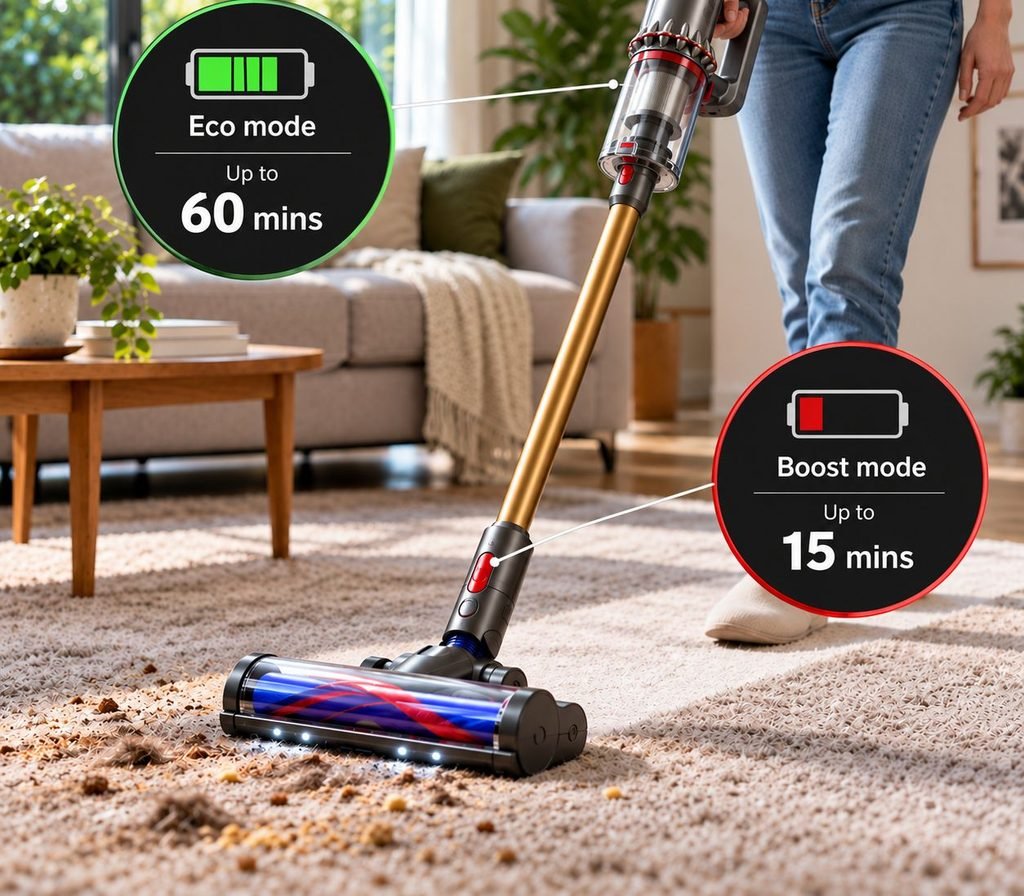
Age and maintenance matter as well. As the battery loses capacity, the same routine uses a bigger share of what’s left. A dirty filter or partial blockage also makes the motor work harder, and it’s easy to mistake that for a battery problem. So the useful question isn’t “60 minutes or 70?” but how long the vacuum lasts in the mode and set-up you actually use.
What Makes a Cordless Vacuum Battery Wear Out Faster?
Heat
Heat is one of the easiest causes to avoid. Dyson says hot environments speed up battery ageing and recommends storing its cordless vacuums at 18°C to 28°C, away from direct sunlight and out of boiler cupboards. It also suggests avoiding cleaning the car in hot weather. A hot car boot, a sunny conservatory or the spot next to the radiator are all poor places to keep a battery-powered vacuum.
Constant Boost or Max use
High-power modes are there for stubborn debris and aren’t meant to be the everyday setting. Dyson describes its Max modes as being for intensive bursts of spot cleaning and says using them constantly speeds up battery degradation. You’ll also see the runtime drop straight away, because the motor is drawing much more power.
Charge cycles and age
Every lithium-ion battery loses some capacity as it’s charged and discharged, and it keeps ageing slowly even when the vacuum sits in a cupboard. That gradual loss is normal and doesn’t mean an older battery is faulty. If you’re storing a machine for a long stretch, follow the instructions for your model and keep it somewhere cool and dry.
How to Make Your Cordless Vacuum Battery Last Longer
You can’t stop a lithium-ion battery ageing, but a few habits help avoid putting extra strain on it:
- Use normal, Auto or Eco mode for everyday cleaning, and keep Boost or Max for short jobs where you really need the extra suction.
- Keep the vacuum away from heat and direct sunlight, both when you’re using it and when it’s stored.
- Let the machine cool down before charging. Dyson specifically recommends this after use.
- Keep filters, the floorhead and airways clean so the motor isn’t straining.
- Stick to the charger and replacement battery specified for your model.
- Follow your manufacturer’s charging advice rather than general rules you’ve read online, as it differs between brands.
Is It OK to Leave a Cordless Vacuum on Charge?
There’s no charging routine that suits every cordless vacuum, and generic battery tips can be misleading here. The manual for your model is the best guide.
Many cordless vacuums come with a wall dock or charging station, and they’re designed to live on it between cleans. Dyson’s advice is to let the vacuum cool down after use before putting it back on the dock. It also suggests running the battery down to empty at least once a month to help prolong its life, which is different from draining it flat every time.
Where you charge matters more than the exact routine. Use the supplied or approved charger, avoid charging somewhere hot, and keep the charging contacts free of dust, which Samsung lists as a possible cause of charging problems on its Jet vacuums. If a battery or charger gets unusually hot, swells, looks damaged or behaves oddly, stop using it and contact the manufacturer.
Why Is My Cordless Vacuum Battery Running Out So Quickly?
When cleaning time suddenly drops, don’t blame the battery straight away. Work through the simple causes first:
- Check the power mode. Boost or Max can cut runtime dramatically, and on some machines it’s easy to leave it switched on by accident.
- Fully charge the vacuum. Make sure it’s sitting properly in the dock or charger, the plug is pushed fully in and the indicator shows it’s charging.
- Clean the filters. Restricted airflow reduces performance and can feel exactly like a weak battery.
- Check for blockages. Look through the floorhead, wand, bin inlet and any airways you can reach. Samsung notes that blockages make the vacuum work harder and produce excess heat, which can trigger an automatic cut-out. If your vacuum stops mid-clean, it may be protecting itself from overheating.
- Check the floorhead. Hair and threads wrapped around the brush bar make a motorised head work harder and use more power.
- Test it in normal or Eco mode. Time a clean in the mode you use most and compare it with how the vacuum performed when it was newer.
- Then look at the battery. If runtime is still well down with clean filters and clear airways, battery ageing is the likely cause. Run through your manufacturer’s online troubleshooting before ordering a replacement, as Dyson recommends for its machines.
Signs Your Cordless Vacuum Battery Needs Replacing
Battery ageing usually shows up in how the vacuum behaves. Typical signs include:
- Runtime is much shorter even in normal or Eco mode. Dyson lists reduced run time outside Max mode as a typical sign.
- The battery no longer gets you through your usual cleaning routine.
- The vacuum cuts out even though the filters are clean and the airways are clear.
- Charging becomes unreliable, or the vacuum shows a battery warning described in its manual. On some Dyson models, this is a series of red flashing lights.
- The manufacturer’s troubleshooting steps point to a battery replacement.
If the battery is swollen, cracked, leaking or getting unusually hot, stop using and charging it straight away. Don’t try to open or repair a lithium-ion battery pack yourself. Contact the manufacturer for advice and recycle it safely (see the UK recycling section below).
Can You Replace a Cordless Vacuum Battery?
Often, yes, but the design varies. Some cordless vacuums use a click-in battery you can swap in seconds, others use a battery held in with screws, and some aren’t designed for owners to change the battery at all.
Check the exact model and battery type before ordering, because the fitting can differ even within one product family. Dyson’s V11, for example, has been sold with both click-in and screw-in batteries. Dyson says to look where the handle meets the battery: a large red release button means your V11 takes the click-in type. A listing that just says “V11 battery” isn’t enough to be sure it’ll fit.
Where you can, buy a genuine or manufacturer-approved battery from a reputable seller. It’s a high-energy component, so price shouldn’t be the only deciding factor, and Dyson warns that imitation parts may invalidate its warranty.
How Much Does a Replacement Cordless Vacuum Battery Cost?
Prices vary by brand, model and battery capacity, and they change often. As an example, Dyson’s UK website listed its genuine screw-in V11 replacement battery at £89.90 when this guide was updated in September 2026. Check the current price for your exact part before deciding anything.
Before paying, check whether your battery is still under guarantee:
- Dyson says its 2-year guarantee on cordless machines covers parts, including the battery.
- Samsung offers a 2-year battery warranty on its Jet batteries, which excludes normal wear and tear. The terms vary by model, so check yours.
- Shark gives a 5-year guarantee on registration for cordless models such as the PowerDetect Clean & Empty, but the battery is only covered for 2 years.
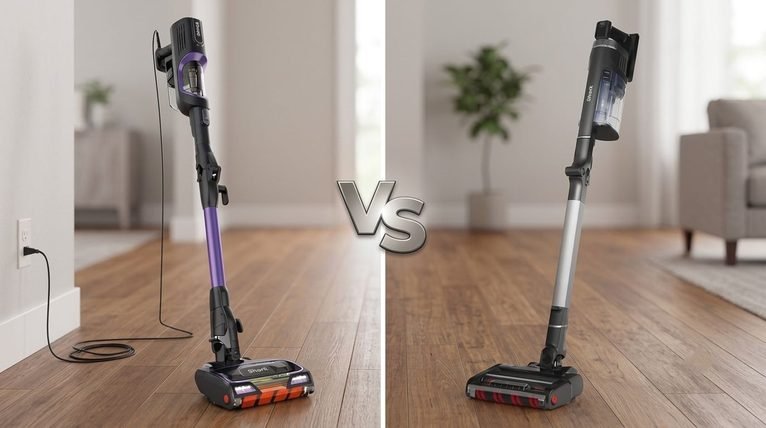
Guarantee terms differ between brands and can change, so look at battery cover when you compare Shark and Dyson or any other brands.
Is It Worth Replacing the Battery or Buying a New Vacuum?
A worn battery doesn’t automatically mean the whole vacuum is finished. Look at the machine as a whole rather than simply comparing the battery price with what you originally paid.
Replacing the battery makes sense if:
- The vacuum still cleans well and the motor sounds healthy
- The floorhead, seals and filters are in good condition
- A genuine or manufacturer-approved battery is easy to get
- The battery costs noticeably less than a comparable new machine
A new vacuum makes more sense if:
- Several expensive parts are worn, not just the battery
- The model has other faults beyond short runtime
- Genuine batteries are hard to find or discontinued
- The replacement cost is high compared with what the machine is now worth
If you’re replacing the whole machine, our guides to the best cordless vacuums under £200 and the best cordless vacuums under £300 are good places to start. And if battery life is what keeps letting you down, our corded vs cordless vacuum comparison might change what you buy next.
How to Recycle an Old Cordless Vacuum Battery in the UK
Never put a lithium-ion vacuum battery in your household rubbish. UK Government guidance says waste batteries shouldn’t go in the bin and warns that lithium-ion batteries can catch fire if they’re thrown away, particularly if they’re wet or damaged.
Before recycling, tape over the battery terminals, as GOV.UK recommends, to reduce the risk of fire. Shops that sell more than 32kg of batteries a year should have a collection point, although these are mainly for smaller household batteries, so check they’ll take a larger vacuum pack. Your council’s household waste recycling centre is usually the easiest option, because it takes waste electricals and most accept batteries too.
If the battery can’t be removed, recycle the whole vacuum as an electrical item. The Recycle Your Electricals postcode locator, run by the not-for-profit Material Focus, shows drop-off points near you. If a battery is swollen or visibly damaged, don’t charge it, and ask your council or the manufacturer how to dispose of it before taking it anywhere.
So, How Long Do Cordless Vacuum Batteries Last?
It depends on the battery’s design, how many charge cycles it goes through, how often you use high-power modes, and how warm it’s kept. A healthy new battery should give runtime broadly in line with the manufacturer’s test conditions. From there, capacity slowly drops, and each charge gives you a little less cleaning time.
If your runtime drops, check the power mode, filters, floorhead and airways before buying a battery. If the vacuum is otherwise in good shape and a genuine replacement is available, replacing the battery is usually a sensible way to keep it going for longer.
Frequently Asked Questions
Why does my cordless vacuum only last 10 minutes?
It’s most likely running in Boost or Max mode, which can drain a battery very quickly. If it isn’t, fully charge it, clean the filters and clear any blockages. If runtime is still unusually short in normal or Eco mode, the battery has probably lost capacity.
Does Boost mode damage a cordless vacuum battery?
Occasional use is fine and part of normal operation. Dyson says using Max mode constantly speeds up battery degradation, though, so it’s best kept for short bursts on stubborn dirt.
Can a cordless vacuum battery be repaired?
Not safely at home. Lithium-ion packs store a lot of energy and shouldn’t be opened, rebuilt or modified. If the battery is worn out, replace it with a compatible genuine or approved battery and recycle the old one.
Are cheaper non-genuine replacement batteries worth it?
They can be tempting, but quality and compatibility matter with a high-energy component. Dyson warns that imitation parts may invalidate its warranty. If you do go non-genuine, buy from a reputable UK seller and make sure the listing matches your exact model and battery fitting.
Can I put an old vacuum battery in the bin?
No. Lithium-ion batteries can catch fire when they’re crushed or damaged in bin lorries and at waste sites. Tape the terminals and take the battery to a collection point or your local recycling centre instead.